

Fomando da ATEC – Academia CISCO em 1º lugar no NetRiders 2013
8 formandos da ATEC nos TOP 10 Nacionais
No passado dia 13 de setembro de 2013 ocorreu no país a competição nacional do NetRiders da CISCO.
A ATEC conseguiu as classificações de 1º, 4º, 5º, 6º, 7º, 8º, 9º e 10º:
Os formandos premiados da ATEC eram todos do curso de Especialização Tecnológica em Gestão de Redes e Sistemas Informáticos que incluí parte do currículo da CISCO e a certificação internacional Cisco CCENT.
Parabéns ao Luís Ferreira, da turma GRSIP.0113 que irá às competições Internacionais no próximo dia 24 de Setembro de 2013, representar Portugal.
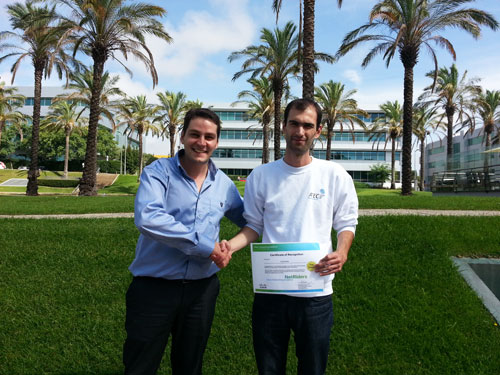
CISCO NetRiders (8/10 dos premiados são da ATEC)
8 formandos da ATEC nos TOP 10 Nacionais
No passado dia 13 de setembro de 2013 ocorreu no país a competição nacional do NetRiders da CISCO.
A ATEC conseguiu as classificações de 1º, 4º, 5º, 6º, 7º, 8º, 9º e 10º:
Continue reading “CISCO NetRiders (8/10 dos premiados são da ATEC)”
Protected: TG2 modelo de preparação – AHK
Protected: TG1 modelo de preparação – AHK
Protected: Projeto modelo de preparação – AHK
ITJobs – Empregabilidade nas áreas de TI.
 Efectuei um pequeno estudo do site ITJobs, para mostrar a necessidade de formação nesta área. A amostra é relacionada é de 250 ofertas de emprego, numa amostra de apenas 5 dias, recolhidas em Setembro de 2013, através do site www.itjobs.pt.
Continue reading “ITJobs – Empregabilidade nas áreas de TI.”
Especialização Tecnológica em Gestão de Redes e Sistemas Informáticos
 O curso de Gestão de Redes e Sistemas Informáticos é um curso CET, nível 5 da União Europeia, pós secundário, de Especialização Tecnológica que poderá dar acesso ao Ensino Superior com equivalências, se existir protocolo para esse efeito.
Continue reading “Especialização Tecnológica em Gestão de Redes e Sistemas Informáticos”
ATEC, ganha campeonato nacional da JAP
ICTUS, AE foi o projeto vencedor do campeonato Nacional da Junior Archievement e que representou Portugal em 2012 no mundial.
Um projeto constituído por 7 formandos da ATEC, dos cursos de Especialização em Gestão de Redes e Sistemas Informáticos (GRSI), Especialização em Automação, Robótica e Controlo Industrial (ARCI), técnicos de mecatrónica automóvel e industrial.